I recently ran into a frustrating issue in my D365FO UDE environment, and I want to share the cause and workaround – especially since it might affect others with long usernames like me.
After installing Visual Studio and creating a new project for D365FO, I ran into this error when trying to build:
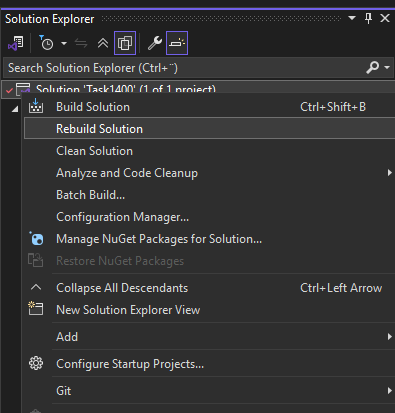
Screenshot: Rebuilding the solution in Visual Studio.
The "BuildTask" task returned false but did not log an error.

Screenshot: Build error in the Visual Studio error list.
At first, I worked around it by building the entire model instead of just my project – which worked, but wasn’t ideal.
🧩 Root Cause
After speaking with Microsoft Support, we discovered the real issue:
An XML file in the ApplicationSuite package had a file path that exceeded the Windows path limit:
C:\Users\<username>\AppData\Local\Microsoft\Dynamics365\10.0.2263.117\PackagesLocalDirectory\ApplicationSuite\Electronic Reporting Application Suite Integration\AxIgnoreDiagnosticList\Electronic Reporting Application Suite Integration_BPSuppressions.xml
The total length of this path is 263 characters, while Windows still enforces a 260–262 character limit in many contexts.
Because my company uses my full name as my Windows username, this pushed the file path over the limit – and caused the vague “BuildTask returned false” error.
🧪 Another case where a short username doesn’t help
Microsoft suggested reinstalling the machine with a shorter username.
However, I found at least one other file that still exceeds the limit – even with a 1-letter username:
C:\Users\<username>\AppData\Local\Microsoft\Dynamics365\10.0.2263.117\PackagesLocalDirectory\EntAssetManufacturingExecutionInterface\EntAssetManufacturingExecutionInterface\AxSecurityDutyExtension\JmgJobRegistrationsCorrectionsMaintain.EntAssetManufacturingExecutionInterface.xml
In my case, this file path is 289 characters long. Even with a 1-letter username, it would still be 271 – still too long.
Luckily, my model doesn’t reference this package, so it hasn’t caused any issues (yet).
🛠 Temporary Workaround
To fix the problem for now, I renamed the file mentioned earlier:
ER Application Suite Integration_BPSuppressions.xml
This reduced the path length and allowed the build to complete normally.
📬 Reported to Microsoft
I reported everything to Microsoft Support, and the engineer confirmed that the issue has been escalated to the product team. Hopefully a better fix will follow – because long usernames are increasingly common in corporate environments.
Have you run into similar path issues in D365FO? Feel free to share your workaround or insight in the comments.